Learn German on your wrist 把德语戴在手腕上
Install Knödel Watch on your watch right from this page: no software to install, about two minutes. 直接在这个网页上把 Knödel Watch 装进你的手表:不用安装任何软件,大约两分钟。


1. Which watch do you have?1. 你的是哪一款手表?
2. Install2. 安装
Choose your watch above first.请先在上面选择你的手表。
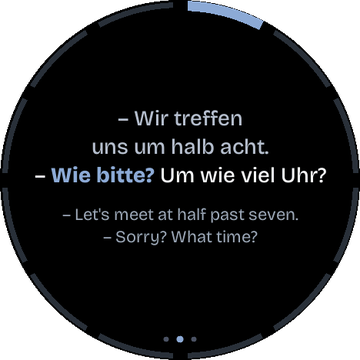
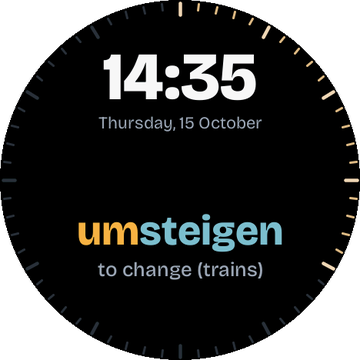
Firmware v0.2.0 and the content pack a2-start: 15 A2 decks, 180 cards, English and Chinese. Browse the cards in your browser.
固件 v0.2.0 和内容包 a2-start:15 个 A2 卡组,180 张卡片,英文和中文翻译。可以先在浏览器里看看所有卡片。
On the Waveshare board, BOOT is previous (hold it to go back) and a short press of PWR is next. It has no clock that keeps running while it is off: after it was switched off, set the time again. If installing fails on this board, please tell @pockegar in an issue. 微雪板上,BOOT 键是上一个(长按返回),短按 PWR 键是下一个。它没有关机后还能继续走的时钟:每次关机再开机后,需要重新设置时间。如果在这块板子上安装失败,请在 issue 里告诉 @pockegar。
How it works安装步骤
- Choose your watch above. A firmware for the other board does not start on yours, but harms nothing: install again with the right one. 在上面选择你的手表。装错了另一款的固件,手表不会启动,但也不会损坏:选对后重新安装即可。
- Use Chrome or Edge on a computer (Windows, macOS, Linux or ChromeOS). 在电脑上用 Chrome 或 Edge 浏览器(Windows、macOS、Linux 或 ChromeOS 均可)。
- Connect the watch with a USB-C cable that carries data (some cables only charge). 用一根能传数据的 USB-C 线连接手表(有些线只能充电)。
- Press Install, choose the watch in the list (it shows as a USB serial or USB JTAG device) and confirm. 点 安装,在弹出的列表里选中手表(显示为 USB 串口或 USB JTAG 设备),然后点 Connect(连接)。之后的安装窗口是英文的,下面会说明要点哪些按钮。
- You are asked whether to erase the watch. First install: yes. Updating later: no keeps your progress and settings. 点 Install Knödel Watch(安装),它会问是否清空手表(Erase device)。第一次安装:勾选它。以后更新:不勾选,练习进度和设置都会保留。然后点 Next(下一步)和 Install(安装)。
- Wait until it says it is done (about two minutes). The watch restarts in English; Settings → Language switches to Chinese, Settings → Time sets the clock. 等到显示 Installation complete!(安装完成,大约两分钟)。手表会重启并显示英文界面;Settings → Language 可以切换成中文,设置 → 时间 可以设置时钟。
If something goes wrong遇到问题
The watch is not in the list列表里找不到手表
Try another cable or another USB port, and make sure no other program (a serial monitor, Arduino, another browser tab) is using the watch. On Linux your user may need to be in the dialout group.
换一根线或换一个 USB 口,并确认没有其他程序(串口监视器、Arduino、另一个浏览器标签页)正在占用手表。在 Linux 上,你的用户可能需要加入 dialout 组。
Installing stopped halfway安装到一半中断了
Just install again. A content pack that was only partly written is detected by the watch, which then shows "No content" instead of starting.
重新安装一次就好。只写了一半的内容包会被手表识别出来,手表会显示 "No content",而不会带着坏数据启动。
I prefer the command line我更习惯用命令行
Download the image for your watch from the project's releases, knoedel-watch-0.2.0-m5_stopwatch-full.bin or knoedel-watch-0.2.0-waveshare_175c-full.bin, and run python3 -m esptool --chip esp32s3 write-flash 0x0 <file> (pip install esptool). This is a fresh install: it erases progress and settings.
从项目的 Releases 下载你手表对应的镜像:knoedel-watch-0.2.0-m5_stopwatch-full.bin 或 knoedel-watch-0.2.0-waveshare_175c-full.bin,然后运行 python3 -m esptool --chip esp32s3 write-flash 0x0 <文件>(先 pip install esptool)。这相当于全新安装,会清空练习进度和设置。
The cards were written by an AI and have not been proofread by a native speaker yet; the German audio is synthetic speech. Found a mistake? Please open an issue on the project page. 卡片内容由 AI 编写,尚未经母语者校对;德语配音是合成语音。发现错误?欢迎在项目页面提 issue。